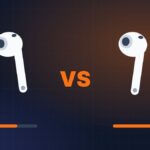

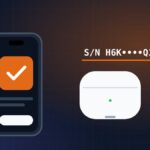


Fake AirPods have caught up with the real thing on the outside. Most clones now copy the box, show the iPhone pairing card and even ship with serial numbers taken from genuine units. That’s why how to tell if AirPods are fake is no longer a one-glance question. The good news: no clone can fully copy Apple’s software, so a few checks in Settings still catch almost every counterfeit.
Below are 12 checks ranked from hardest to fake to easiest. If you’re buying from a stranger and only have a couple of minutes, start with the quick version.
Quick check: how to tell if AirPods are fake in 2 minutes
Pair the AirPods with your own iPhone and run these five checks in order. If either of the first two fails, walk away.
- Firmware version. Open Settings → Bluetooth → ⓘ next to the AirPods and look at Version. Compare it with the table below.
- Model number. In the same screen, check the model number (it starts with “A”) matches the model the seller claims.
- Find My. Open the Find My app. Genuine AirPods appear as their own device.
- Serial numbers match. The serial in Settings should match the one under the case lid and on the box.
- Noise cancellation. Switch between Noise Cancellation and Transparency. On real AirPods Pro the difference is obvious.
That’s the fastest way to check if AirPods are real. The rest of this guide explains each check in detail and what a fake usually shows instead.
Why fake AirPods are so hard to spot now
A few years ago, fake AirPods had misspelled boxes, wobbly cases and no iPhone pop-up. Today’s better clones fix most of that. They use Bluetooth chips that imitate Apple’s proximity pairing, so your iPhone shows a familiar card with an AirPods picture. Many come in printed boxes that look right at first glance, and some carry real serial numbers copied from genuine pairs, so they even pass Apple’s coverage check.
What clones still can’t do well is run Apple’s firmware. That shows up in the version number, in features that need Apple’s chips (H2 chip features like Adaptive Audio or the Ear Tip Fit Test) and in Find My. Physical details and sound are the second line of defense.
Rule of thumb: one passed check proves nothing. A genuine pair passes all of them. A fake almost always fails at least two.
Software checks fake AirPods can’t pass
1. Firmware version
On iPhone or iPad, connect the AirPods, open Settings → Bluetooth, tap ⓘ next to your AirPods and scroll to About. On a Mac, go to System Settings → Bluetooth and click ⓘ next to the AirPods.
Compare the version with Apple’s published list. A slightly older version on a genuine pair is normal if it hasn’t updated yet (see our guide on how to update AirPods). Red flags are a version Apple has never used, a missing version field, or a version that never changes over weeks while your iPhone is up to date. Macworld, for example, documented a fake that reported firmware “0A2097”, which doesn’t match any Apple release.
2. Model number
The model number appears in the same About section and is printed in tiny text on the underside of each earbud. It must match the model on the box and in the listing. Here are the current models from Apple’s identification page, with the latest firmware Apple lists as of November 2026:
| Model | Model numbers | Latest firmware (Nov 2026) |
|---|---|---|
| AirPods 4 | A3053, A3050, A3054 | 9B47 |
| AirPods 4 with Active Noise Cancellation | A3056, A3055, A3057 | 9B47 |
| AirPods 5 | A3531, A3532, A3533 | 9B47 |
| AirPods 5 with Wireless Charging Case | A3439, A3440, A3441 | 9B47 |
| AirPods Pro 2 (USB-C) | A3047, A3048, A3049 | 9B47 |
| AirPods Pro 3 | A3063, A3064, A3065 | 9B47 |
| AirPods Max (USB-C) | A3184 | 7E108 |
| AirPods Max 2 | A3454 | 9B47 |
If a seller lists “AirPods Pro 3” but Settings shows a model number from another product, or one that isn’t on Apple’s list at all, you have your answer.
3. Find My and battery readout
Genuine AirPods appear in the Find My app and can play a sound. On models with a speaker in the case (AirPods Pro 2, Pro 3 and AirPods 4 with ANC), the case can play a sound too. In Settings and in the battery widget, a real pair reports the left earbud, the right earbud and the case separately. Many fakes show one shared percentage or none for the case.
4. Serial numbers in three places
Check the serial number in Settings → Bluetooth → ⓘ, under the charging case lid and next to the barcode on the box. All three should match. Then enter it at Apple’s coverage site to see the model and warranty status. Our AirPods serial number check guide walks through every location.
Keep in mind that fake AirPods often do have a serial number, copied from a real pair. A valid result only tells you the number exists. A mismatch between locations, a number registered to a different model or an “invalid serial” message is a strong sign of a fake. On recent AirPods, Apple also prints a separate serial on each earbud, which counterfeiters rarely bother to match.
5. Features only Apple’s chips support
Open the AirPods settings page and look for these options. Their absence, or toggles that do nothing, points to a clone:
- Ear Tip Fit Test on AirPods Pro. Macworld found a fake that “passed” the test even with one earbud out.
- Adaptive Audio and Conversation Awareness on H2-chip models.
- Personalized Spatial Audio with head tracking that follows your head movement.
- Heart rate readings in the Fitness app on AirPods Pro 3.
- Automatic switching between your iPhone and Mac signed in to the same Apple Account.
6. How they connect
Opening the case next to an unlocked iPhone should bring up the setup card on its own. If the AirPods ask you to hold a button on the case before they appear, or show up in Bluetooth under a strange name, treat that as a red flag. Do fake AirPods connect like real ones? Often they look like they do, which is why this check comes after the firmware and model checks.
Physical checks: box, case and earbuds
7. Box and packaging
To spot a fake AirPods box, read every line of small print. Look for typos (“Dseigned by Apple”), wrong capitalization (“ios” instead of “iOS”), blurry text and misaligned labels. Apple’s recent boxes close with paper pull tabs rather than full plastic shrink-wrap. The serial and model on the label must match Settings.
Check the accessories too. Compare the contents with the “What’s in the box” list on Apple’s product page: recent models ship with less than older ones (AirPods 4, for example, come without a charging cable), while AirPods Pro include extra ear tips. Fakes often add a Lightning cable to a USB-C model, include accessories Apple doesn’t ship, or come with leaflets that have low-resolution printing and odd translations. None of this proves a fake on its own, but several small misses add up.
8. The charging case
A genuine case closes with a firm, quiet snap and the lid has almost no side-to-side play. The status light sits centered, the port is cleanly cut and the serial number is printed on the underside of the lid. Fakes often have a looser hinge, visible seams, a light that’s slightly off-center and printing that rubs off.
9. The earbuds
What do real AirPods look like up close? The mesh grilles are fine and evenly cut, the sensors are real windows rather than printed dots, and the model number under each earbud is sharp. Counterfeits often differ by a gram or two in weight, and the stem may feel hollow or creak when squeezed.
10. Sound and noise cancellation test
Play the same song on a pair you trust and on the pair you’re checking. Then stand near a low, constant noise such as an air conditioner or traffic. Genuine AirPods Pro cut that rumble sharply when you switch on Noise Cancellation, and Transparency sounds natural. Clone “ANC” barely changes the noise floor and often adds hiss. Make a quick phone call too: some fakes have no real microphone and use the speaker instead, which sounds muffled to the other side.
Model-specific tells
11. Fake AirPods Pro 2 and Pro 3
To spot fake AirPods Pro 2, check that the Ear Tip Fit Test and Adaptive Audio exist and that the case speaker plays a sound from Find My. To tell if AirPods Pro 3 are fake, check the model number (A3063, A3064 or A3065), the heart rate option in the Fitness app and Live Translation support on a compatible iPhone. Fake AirPods Pro are the most common clones, so treat any big discount on these models with suspicion.
AirPods 4 and AirPods 5
These open-fit models have no ear tips, so a pair that ships with silicone tips and calls itself AirPods 4 or 5 is not genuine. On the ANC versions, check that Noise Cancellation and Transparency exist in Settings and that the case plays a sound in Find My.
12. AirPods Max
AirPods Max fakes give themselves away in the materials: plastic where Apple uses metal, a light headband and buttons that rattle. We cover them in a separate guide on how to tell if AirPods Max are fake.
Real vs fake AirPods: comparison table
| Check | Genuine AirPods | Typical fake |
|---|---|---|
| Firmware version | Matches or is close to Apple’s list, updates over time | Missing, unknown version or never updates |
| Model number | On Apple’s list and matches the box | Wrong model or not on the list |
| Find My | Shows as its own device, can play a sound | Missing or not locatable |
| Battery readout | Left, right and case shown separately | One shared value or no case value |
| Serial numbers | Same in Settings, case lid and box | Mismatch or reused serial |
| Apple-only features | Fit Test, Adaptive Audio, Spatial Audio work | Missing or toggles do nothing |
| Pairing | Setup card appears on its own | Needs a button press or odd Bluetooth name |
| Noise cancellation | Strong cut of low rumble | Little change, added hiss |
| Build | Tight hinge, sharp printing | Loose hinge, seams, blurry print |
Bought fake AirPods? What to do next
Act quickly, because buyer protection windows are short. Take screenshots of the Settings screen, the listing and your serial number check. Then:
- Open an “item not as described” claim with the marketplace (eBay, Amazon and similar platforms all have one).
- If the seller refuses, ask your card issuer or payment service about a chargeback.
- Report the listing so it’s removed for other buyers.
- Stop charging the fake case overnight. Counterfeit batteries skip the safety circuits Apple uses.
Next time, buy from Apple or an authorized reseller. Our guide on where to buy genuine AirPods lists safe options and red flags in listings.
FAQ
Will fake AirPods have a serial number?
Usually yes. Most fake AirPods carry a serial number, and many copy a real one from a genuine pair, so the number can pass Apple’s coverage check. That’s why the serial check only works together with the firmware, model number and Find My checks. A serial that doesn’t match the box or case is a clear warning sign.
Do fake AirPods connect like real ones?
Many do. Good clones use chips that trigger an iPhone pop-up similar to Apple’s setup card, so pairing alone proves little. The differences show up after pairing: missing firmware version, no Find My support, missing Ear Tip Fit Test or Adaptive Audio, and battery levels that don’t show the case separately.
Can Apple tell if AirPods are fake?
Yes. Apple Stores and Apple Authorized Service Providers can run diagnostics that a counterfeit won’t pass. If you’re unsure after doing the checks in this guide, book a Genius Bar appointment and bring the box and receipt.
Are fake AirPods dangerous?
They can be. Counterfeit cases often use cheap batteries without proper protection circuits, which can overheat while charging. Some clones are also very loud with no volume limiting. If your AirPods get hot, swell or smell of plastic, stop using them and recycle them properly.